What is Infrastructure as Code (IaC)? Terraform & Ansible Explained for Beginners (2026)
Stop configuring servers manually. Learn what Infrastructure as Code is, why every DevOps team uses it, and how Terraform and Ansible work — explained simply with real world examples for beginners.
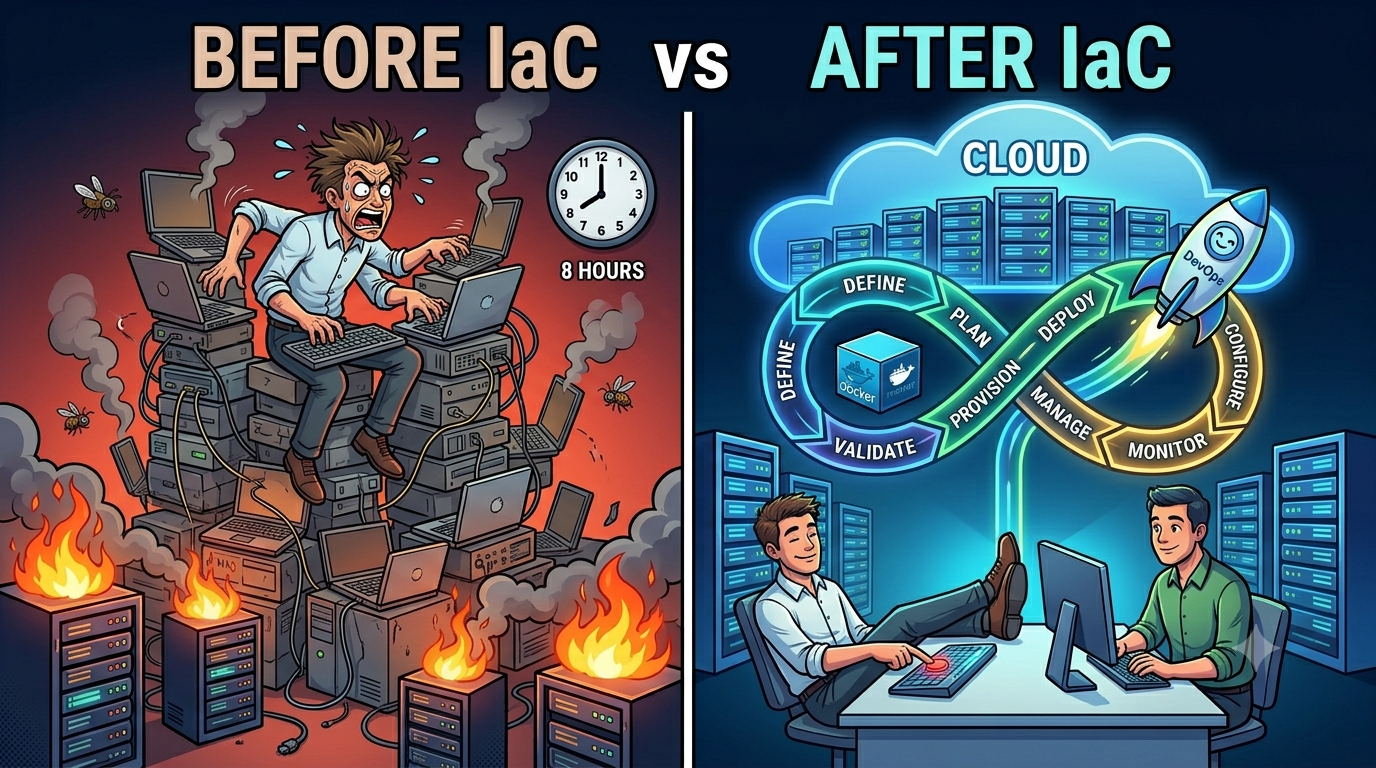
What is Infrastructure as Code (IaC)? Terraform & Ansible Explained for Beginners (2026)
The Old Way of Managing Servers
Imagine your company just got a big order. You need to set up 50 new servers to handle the traffic. In the traditional world, this meant a sysadmin logging into each server one by one, installing software, configuring settings, setting up networking, and hoping they did not miss a step along the way.
Now imagine doing that 50 times. Then imagine doing it again when you need a test environment that matches production exactly. Then again for a staging environment. Then again six months later when you need to scale up again.
This approach had serious problems:
- It was slow — setting up servers manually took hours or days
- It was inconsistent — small differences between environments caused bugs that were nearly impossible to track down
- It was not repeatable — if a server crashed and needed to be rebuilt, you had to remember every configuration step
- It was not documented — the knowledge of how servers were set up lived in one person's head
Infrastructure as Code was created to solve all of these problems at once.
What is Infrastructure as Code?
Infrastructure as Code (IaC) is the practice of defining and managing your infrastructure — servers, networks, databases, storage, load balancers — using code and configuration files instead of manual processes.
Instead of logging into a server and typing commands, you write a file that describes exactly what you want your infrastructure to look like. A tool then reads that file and creates everything automatically.
That file can be:
- Stored in a Git repository like any other code
- Reviewed by teammates before changes are applied
- Version controlled so you can see every change ever made to your infrastructure
- Executed automatically as part of a CI/CD pipeline
- Used to recreate the exact same environment anywhere, any number of times
The shift from manual infrastructure to IaC is one of the most significant changes that DevOps brought to the industry. It transformed infrastructure from something fragile and unpredictable into something reliable, repeatable, and automated.
Why IaC Matters — A Real World Example
Consider a startup that runs its application on three servers. One day, one of those servers crashes.
Without IaC: The operations engineer spends four hours manually rebuilding the server from memory — installing the operating system, configuring the firewall, installing dependencies, setting environment variables, and testing everything before bringing it back online. During those four hours, the application is running at reduced capacity.
With IaC: The engineer runs a single command. The IaC tool reads the configuration file, spins up a new server with identical configuration in under ten minutes, and the application is back to full capacity automatically.
The same principle applies when scaling up. If traffic doubles and you need ten more servers, IaC can provision all ten in minutes with identical configuration — no manual work required.
The Two Types of IaC Tools
IaC tools generally fall into two categories, and understanding the difference is important because most real DevOps teams use both.
1. Provisioning Tools
These tools create and manage the infrastructure itself — virtual machines, networks, storage buckets, databases, and other cloud resources. They answer the question: what infrastructure should exist?
The most widely used provisioning tool is Terraform.
2. Configuration Management Tools
These tools configure the software on infrastructure that already exists — installing packages, managing services, setting up users, and deploying application code. They answer the question: what should be installed and configured on this infrastructure?
The most widely used configuration management tool is Ansible.
In a typical DevOps workflow, Terraform provisions the servers and Ansible configures them.
Terraform — Provisioning Infrastructure with Code
Terraform is an open-source tool created by HashiCorp. It allows you to define cloud infrastructure in a simple configuration language called HCL (HashiCorp Configuration Language) and then create, update, or destroy that infrastructure with a single command.
Terraform works with virtually every major cloud provider — AWS, Azure, Google Cloud, and many others. This means you can use the same tool and the same workflow regardless of which cloud you are on.
How Terraform works:
- You write a configuration file describing what infrastructure you want
- You run
terraform plan— Terraform shows you exactly what it is going to create, change, or destroy before it does anything - You run
terraform apply— Terraform creates the infrastructure - Terraform keeps track of the current state of your infrastructure in a state file, so it always knows what exists and what needs to change
A simple example of what Terraform code looks like:
resource "aws_instance" "web_server" {
  ami           = "ami-0c55b159cbfafe1f0"
  instance_type = "t2.micro"

  tags = {
    Name = "MyWebServer"
  }
}
This small block of code tells Terraform to create a virtual machine on AWS with a specific configuration. Running terraform apply creates that server automatically — no AWS console, no manual steps.
Key Terraform concepts:
| Concept | What it means |
|---|---|
| Provider | The cloud platform Terraform connects to (AWS, Azure, GCP) |
| Resource | A piece of infrastructure to create (server, database, network) |
| State file | Terraform's record of what infrastructure currently exists |
| Plan | A preview of what Terraform will do before it does it |
| Module | A reusable block of Terraform configuration |
Ansible — Configuring Servers with Code
Once your servers exist, they need to be configured. Ansible is an open-source tool that automates this configuration — installing software, managing files, starting services, and deploying applications — across any number of servers simultaneously.
Ansible is agentless, which means you do not need to install anything on the servers you are managing. It connects to servers over SSH and executes instructions remotely. This makes it simple to set up and easy to use.
Ansible uses files called Playbooks — written in YAML — to define what should happen on each server.
A simple example of what an Ansible Playbook looks like:
- name: Set up web server
  hosts: web_servers
  become: yes

  tasks:
    - name: Install Nginx
      apt:
        name: nginx
        state: present

    - name: Start Nginx service
      service:
        name: nginx
        state: started
This Playbook connects to all servers in the web_servers group, installs Nginx, and starts the service — on every server simultaneously, no matter how many there are.
Key Ansible concepts:
| Concept | What it means |
|---|---|
| Playbook | A YAML file describing what tasks to run on which servers |
| Task | A single action to perform (install a package, copy a file) |
| Inventory | The list of servers Ansible will connect to |
| Role | A reusable collection of tasks for a specific purpose |
| Module | A built-in Ansible function that performs a specific action |
Terraform vs Ansible — When to Use Which
| Area | Terraform | Ansible |
|---|---|---|
| Primary purpose | Create and manage infrastructure | Configure software on servers |
| What it manages | Virtual machines, networks, databases, cloud resources | Packages, services, files, users, app deployments |
| When to use it | When you need to provision new infrastructure | When you need to configure existing servers |
| Language | HCL (HashiCorp Configuration Language) | YAML |
| Approach | Declarative — describe the end state you want | Procedural — describe the steps to get there |
| Cloud dependency | Works with specific cloud providers | Works on any server it can reach over SSH |
The typical workflow:
- Use Terraform to create the servers, networking, and cloud resources
- Use Ansible to install software, configure services, and deploy the application on those servers
IaC and Version Control — Why This Changes Everything
One of the most powerful aspects of Infrastructure as Code is that your infrastructure configuration lives in a Git repository alongside your application code. This has several significant implications.
Change tracking: Every change to your infrastructure is a commit. You can see who changed what, when they changed it, and why. If a change causes a problem, you can trace it back to the exact commit that introduced it.
Code review: Before infrastructure changes are applied, they go through the same pull request and review process as application code. This catches mistakes before they affect production.
Rollback: If an infrastructure change causes problems, you can revert to a previous commit and apply the old configuration — just like rolling back a bad code change.
Consistency: Every environment — development, staging, production — is created from the same configuration files. The "it works on my machine" problem disappears because every environment is identical.
Disaster recovery: If your entire infrastructure is destroyed, you can rebuild it completely from your IaC files. What used to take days of manual work now takes minutes.
IaC in the Real World — Who Uses It?
IaC is not a niche practice. It is the standard approach to infrastructure management at companies of every size in 2026.
- Netflix manages thousands of AWS resources using Terraform and has their entire infrastructure defined as code
- Airbnb uses Terraform to manage cloud infrastructure across multiple regions
- Spotify uses Ansible for configuration management across their server fleet
- Every major cloud provider — AWS, Azure, Google Cloud — offers their own IaC tools, though Terraform is preferred by most teams because it works across all clouds
In the job market, Terraform and Ansible are among the most requested skills in DevOps job listings. Engineers with strong IaC skills consistently command higher salaries than those without.
Interview Q&A
Q1. What is Infrastructure as Code and why is it important?
Infrastructure as Code is the practice of managing and provisioning infrastructure through code and configuration files rather than manual processes. It is important because it makes infrastructure consistent, repeatable, and version controlled. Instead of manually setting up servers one by one, engineers write configuration files that describe the desired state of their infrastructure, and IaC tools create it automatically. This eliminates human error, speeds up environment setup, enables disaster recovery, and makes infrastructure changes as trackable as application code changes.
Q2. What is the difference between Terraform and Ansible?
Terraform is a provisioning tool — it creates and manages the infrastructure itself, such as virtual machines, networks, and databases on cloud platforms. Ansible is a configuration management tool — it configures the software on servers that already exist, such as installing packages, managing services, and deploying applications. In a typical DevOps workflow, Terraform provisions the servers and Ansible configures them. Terraform uses HCL and a declarative approach; Ansible uses YAML and a procedural approach.
Q3. What does "declarative" mean in the context of IaC?
A declarative approach means you describe the end state you want, and the tool figures out how to get there. With Terraform, you write "I want three servers with these specifications" and Terraform determines what needs to be created, updated, or deleted to reach that state. This is different from a procedural approach, where you write out every step required to reach the desired state. Declarative IaC is generally easier to maintain because you only need to update the desired state, not rewrite a sequence of steps.
Q4. What is a Terraform state file?
A Terraform state file is a file that Terraform uses to keep track of what infrastructure it has created. Every time you run terraform apply, Terraform updates the state file to reflect the current real-world state of your infrastructure. When you make changes to your configuration and run terraform plan, Terraform compares your desired configuration against the state file to determine exactly what needs to change. The state file is critical to Terraform's operation and should be stored securely — typically in a remote backend like AWS S3 — especially when multiple engineers are working with the same infrastructure.
Q5. What is an Ansible Playbook?
An Ansible Playbook is a YAML file that defines a set of tasks to be executed on one or more servers. Each task performs a specific action — installing a package, copying a file, starting a service, or running a command. Playbooks can target specific groups of servers defined in an inventory file, run tasks conditionally, and use variables to make configurations reusable across different environments. Playbooks are the core unit of automation in Ansible — they are what you run when you want to configure servers.
Q6. Why is IaC important for disaster recovery?
When infrastructure is managed manually, rebuilding it after a failure depends on engineers remembering every configuration step — which is slow, error-prone, and stressful during an outage. With IaC, the entire infrastructure is defined in code files stored in version control. If something is destroyed, you run the IaC tool against your configuration files and the infrastructure is rebuilt automatically, identically, in minutes. This transforms disaster recovery from a multi-day manual effort into an automated process that can be rehearsed and tested regularly.
Zero to DevOps Series — Blog 5